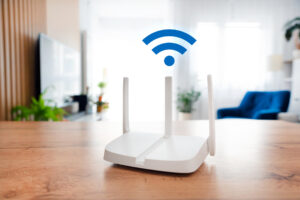
Is One Router Really Enough for Your Home?
In an ideal world all of our internet business would be done in the same room the router is in. But in reality, everyone is off in their own space. The other reality is that not all of them will get connectivity.
Dad is streaming the game, the kids are gaming in another room, mum is on a video call somewhere else. The further everyone roams from the router, the more that connection starts to crack – this is where the dreaded WiFi dead spot comes in.
This is an area in your home where the signal weakens or disappears entirely, leaving your devices unable to connect. More often than not, one router simply isn’t built to fight the battle alone. If you can relate, you should definitely check out Vodacom’s signal boosters and WiFi extenders.
What Is Causing The WiFi Dead Zones In Your Home?
Besides distance, there are other factors that also cause your signal to thin out and disappear, these include:
- Your walls are working against you: Thick single or double brick walls and concrete flooring absorb and block WiFi signals before they ever reach the room your family is in.
- Your home’s layout and size: Double or triple-storey homes and larger floor plans create distance and physical barriers that a single router struggles to overcome.
- Interference silently sabotaging your signal: Everyday appliances like microwaves can disrupt your WiFi frequency, causing lag right in the middle of an intense gaming session or a binge-watch marathon.
- Not all connections are created equal: Devices relying on WiFi are far more vulnerable to dead spots than those hardwired via an Ethernet cable, leaving most of your household gadgets exposed to coverage gaps.
- Placement of the router: Ensure your router is central, elevated, in the open and away from electronic interferences like microwaves, TVs and cordless phones.
So if someone in your home is always complaining about their connection, chances are it’s not them, it’s where they are. That’s a problem one router, no matter how good, may never fully solve on its own.
Enter Vodacom Connectivity Boosters
What if every room in your home had the same strong connection as the one right next to the router? That’s exactly what Vodacom’s mesh network and WiFi extenders deliver.
A mesh networking solution uses small access points placed around your home to connect back to your main router, creating a single, seamless, high-speed network that reaches every corner. No dead spots, no drop-offs, no complaints.
On the other hand, you get WiFi extenders, aka signal boosters or repeaters. This device extends your WiFi signal by rebroadcasting it into other parts of your home where there are dead spots. You can think of it as a second router that you plug-in and place in a room where the connectivity is not so great.
Whichever solution you go with, whether your family is streaming, gaming, or video calling from different rooms, everyone gets the reliable connection they need, exactly where they need it.
How To Set Up Your Mesh Network
Before you can set up the Super WiFi mesh network you need to set up your main node. The video below illustrates this process:
How To Add Beacons To Your Mesh Network
Once you’ve set up the main node, you can start adding the additional beacons to create your mesh network. Here’s a video to help illustrate this process.
Once the Super WiFi mesh network is set up you will have seamless high-speed internet all over your home no matter how it is built. If, however you have any issue, here is how to troubleshoot your Super WIFI mesh network:
No one in your household should settle for a weak signal based on where they’re sitting. If the connectivity complaints are becoming a daily occurrence, that’s your sign. Give every room the coverage, explore Vodacom Super WIFI here and find the right solution for your home.
Browse our latest stories to experience tech made easy.