
If you haven’t secured your device or Wi-Fi because the idea of it just sounds like a lot of life admin, these 1-minute security fixes are for you.
There are two wolves inside you: One of them really hates life admin. The other is low-key worried that your phone, Wi-Fi and other digital devices are at risk of getting hacked. Which one wins? Both of them! Because improving your digital security may only take a minute. Literally. Try these 1-minute security fixes.
Update your password
Data breaches happen. Simply getting into the habit of updating your passwords regularly already lowers your risk of getting compromised. “But how is updating your password on a list of 1-minute security fixes when passwords require so many letters, symbols, numerals, a planetary conjunction and hair from a unicorn’s mane?” Try this tip:
- Think of a random sentence you’ll easily remember. E.g. My cat loves sleeping in the shoe cupboard!
- Add some symbols and letters that make sense to you. E.g. My cat loves sleeping in the (shoe) cupboard2026!
- Your password becomes the first letters of the words, with the symbols and numbers added in: Mclsit(s)c2026!
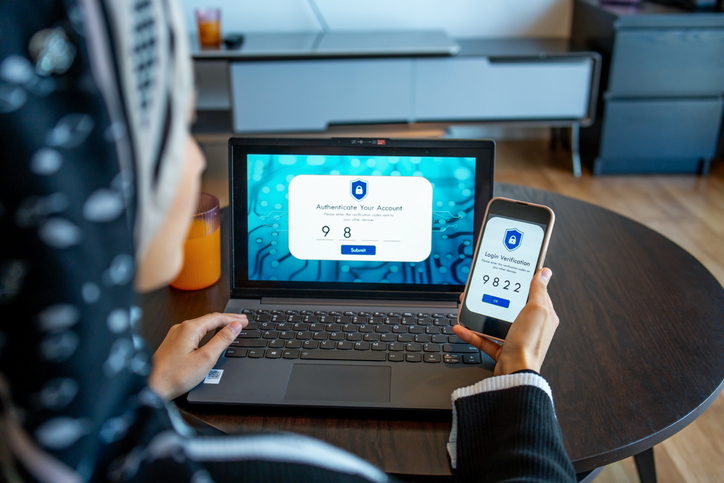
Enable Multifactor Authentication (MFA)
Always secretly wondered what MFA stands for? Multifactor Authentication refers to additional layers of security over and above your password. For example, when you try buy something online and the site redirects you to your banking app where you have to approve the transaction. This minor annoyance is a 1-minute security fix that acts as your safety net if your password does get hacked. Common options include:
- Tapping yes on another device
- Using an authenticator app
- One-time codes sent by email or text
- Biometrics like fingerprint or face scan
Switch off Bluetooth when not in use
This isn’t even a 1-minute security fix, it takes more like 10 seconds, and it protects you from criminals looking to use your Bluetooth against you. Just by being on, your Bluetooth may be giving nearby criminals intel like your name and device model – e.g. if your device is called Buhle’s iPhone14. They could also trick you into pairing by impersonating something innocent like a smartwatch or earphones. In Settings, simply toggle Bluetooth off and never accept device pairing requests or file transfers that you aren’t expecting.

Turn on device finder services
Apple’s “Find My” service helps you locate your device if it gets lost or stolen. On iPhone, toggle it on by tapping your picture under Settings. On Android, you can use Find Hub (previously Find My Device) to locate a device even when it’s not connected to the internet, lock or erase a device remotely, and other useful security features. Simply download the Find Hub app to access all the features.
Install your updates
Whether it’s a firmware update for your Wi-Fi router or app updates for your phone, don’t ignore those notifications. “Bug fixes and performance improvements” may not sound important, but they could be patching cybersecurity holes that could compromise your device. It’s a simple, 1-minute security fix that could save you a massive headache later.
Cybercriminals are getting smarter, but with a few smart settings tweaks, you can stay a step ahead.