
Fibre internet is a total game-changer – but the installation journey needs some preparation. Here’s what to expect before they arrive.
Fibre internet is fast, it’s reliable, it’s future-proof, and once it’s up and running, you’ll wonder how you ever survived on anything less. Getting fibre installed in your home is less of a tech upgrade and more like a minor home renovation you never expected. Don’t panic though. Knowing what’s coming makes all the difference. Here’s what to expect.
A Small Amount of Drilling May Be Required
There’s no gentle way to say this: technicians need to drill through your exterior walls to feed the fibre cable from outside into your home. Seems simple enough, right? But that depends on your home’s construction: think double brick, thick cladding, or any architectural quirks could make finding a clean entry point tricky.
Also, the hammer drill used to drill through these walls is loud, and you’ll find that even the tiniest hole through your wall can generate massive amounts of dust. Also, your neighbours will notice you’re “renovating”. Consider it your home’s dramatic entrance into the fibre era. Just give fair warning to your close neighbours.
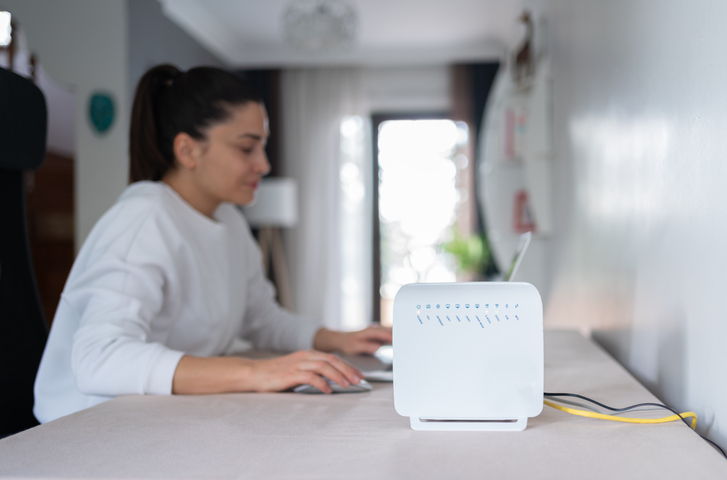
The Router Placement Puzzle (And the Cable Chaos That Follows)
Here’s where things get a little more personal. The Optical Network Terminal (ONT) – the box that connects your home to the fibre network – needs to live near both a power source and a utility entry point. Unfortunately, that ideal technical spot and the place you want your router are rarely the same location. Running internal cables across long distances, through finished floors, or above ceilings can get messy fast and may require extra trunking to keep things looking neat.
And once the router is placed? You’ll want to make sure it’s positioned for the best possible Wi-Fi coverage throughout your home. Read our guide on router placement and mesh networks to help make an informed decision about where to put your router. This will help you find a spot that creates less cable clutter and mess.
Your Décor May Need a Rethink
Whether your interior design philosophy is feng shui, minimalist chic, or “I saw it on Pinterest and ran with it” – you love your space. But getting the most out of your fibre Wi-Fi signal might mean making a few adjustments. Walls are the obvious culprit, but ornaments, fixtures, shelving units, and even certain appliances can quietly sabotage your signal. That gorgeous display cabinet your router is hiding behind? Yeah, it’s not helping. Check out which everyday household items could be interfering with your Wi-Fi, so that you know your enemy and can move it out of the way for a stronger signal.
Your Garden Might Take a Hit Too
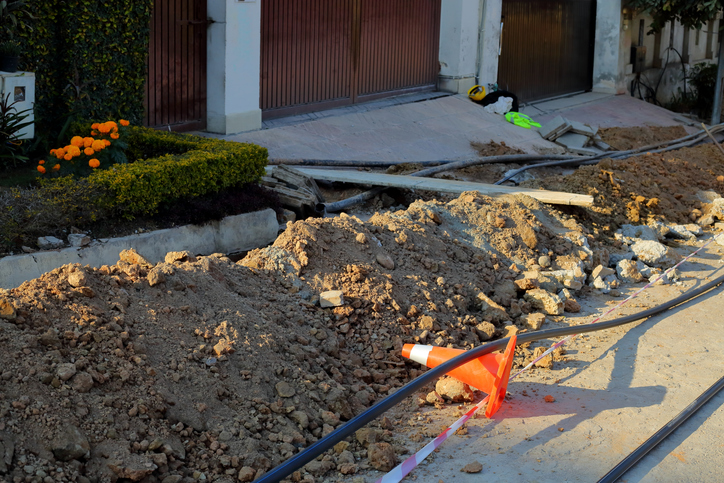
Fibre lines run via underground conduits – which is common, since the fibre box is typically placed between two properties and cables are run along the boundary wall –meaning technicians may need to trench across your lawn, driveway, or paving to lay the line. That means disrupted flowerbeds, potential cuts through concrete, and a front yard that temporarily looks like it’s hosting an archaeological dig. It grows back. Promise.
Watch Your Step – Seriously
Fibre-optic cables are deceptively delicate. Those thin strands carry light, not electricity, and they don’t take kindly to being pinched, sharply bent, or impacted. After your new installation ups your internet game, you want to be careful in the areas where the cable runs. Yes, it will most likely run along your walls, but that means being careful about how you move the furniture in that area. Does the fibre cable need to deviate from the wall to reach the router? This is where you need to watch your step, because even kicking the trunking can compromise the cable and your connection. Find out what to do if you experience a fibre line break – just in case.
Your fibre installation checklist
While there is a lot to wrap your head around for your fibre installation, take this simple checklist to go. If these four things are decided before your installation, you’ can deal with the rest as it comes.
- Decide where you’d like your router placed.
- Discuss cable routing preferences with the technician.
- Clear access to the fibre entry point.
- Ensure someone is home for the installation.
- Consider Wi-Fi coverage requirements for larger homes.
The Silver Lining
Yes, the installation process has its moments of chaos. But on the other side of the dust, the drilling, and the temporary garden archaeology is an internet connection that’ll make everything – streaming, working from home, gaming, and everything in between – dramatically better. A little short-term mess for a whole lot of long-term speed? Sounds like a pretty good deal to us.
Now that you’re set on getting fibre, check out these great fibre deals from Vodacom.
Browse our latest stories to experience tech made easy.