
Wi-Fi extenders and mesh networks solve signal problems differently. Here’s how to choose the right one for your home.
Dead zones and patchy signal are frustrating – but there are easy and accessible fixes available. Before you go out shooting from the hip and buying a “booster” to solve the problem, take some time out to read this post and understand the difference between a Wi-Fi extender, a mesh network, and what a “booster” is and isn’t.
The Common “Booster” Misconception
Here’s where most people go wrong: “Wi-Fi booster” isn’t a specific product category at all. It’s a catch-all marketing term that manufacturers use loosely to describe repeaters, extenders, or even mesh nodes.
There was older hardware marketed strictly as a “booster,” which attempted to physically amplify the radio frequency (RF) output rather than properly rebroadcast the signal. Nowadays, however, the word is used almost interchangeably with a standard Wi-Fi extender. So when a box says “booster,” read the fine print – you’re usually looking at a repeater.
How a Wi-Fi Repeater (or Extender) Works
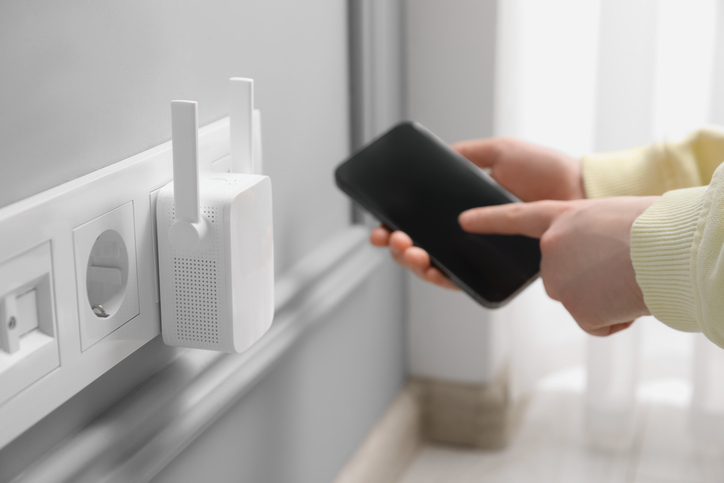
A repeater plugs into a wall outlet, catches your existing router’s signal, and rebroadcasts it to extend coverage further into your home. Simple enough – but there’s a catch. Traditional repeaters use the same radio band to communicate with both your router and your devices, which effectively cuts your available speed in half. They also tend to create a separate network name, meaning your phone or laptop will cling to the weak main router instead of automatically switching to the stronger, closer signal automatically. This means constant manual switching depending on where you are in the house.
How a Mesh Network Works
A mesh system takes a fundamentally different approach. It replaces your old router with a primary node connected directly to your modem, plus satellite nodes placed in different rooms or on different floors. All nodes share the same network name and password, creating one seamless coverage zone across your entire home. As you move around, your devices automatically hand off to the closest or strongest node without dropping the connection.
The real advantage is the backhaul – a dedicated channel that nodes use to communicate with each other and pass data without slowing down your phones or laptops. Mesh networks are also self-healing: if one node goes offline, the others automatically find a new path to keep you online.
The Key Difference at a Glance
The main distinction is architecture. A repeater rebroadcasts an existing signal on a separate network, with speed penalties and no automatic device switching. A mesh network is a multi-node system with one unified network name, dedicated backhaul channels, and intelligent handover that keeps every device connected as you move.
Which Suits Your Scenario?
Choose a repeater or extender if you’re on a strict budget and need to fix a single dead zone – say, a garage or one back room in a smaller home.
Choose a mesh network if you live in a large or multi-storey home, an office with thick walls, or a space with heavy device usage across multiple rooms. The seamless handover and backhaul performance make mesh the stronger long-term investment for complex environments.
Whether you need a simple extender to tackle one stubborn dead zone or a full mesh system to blanket every room in reliable signal, Vodacom has you covered. Visit Vodacom to explore network and connectivity solutions or visit your nearest Vodacom store to find the right fit for your home. Better connectivity starts with the right setup – and the right partner.
Browse our latest stories to experience tech made easy.